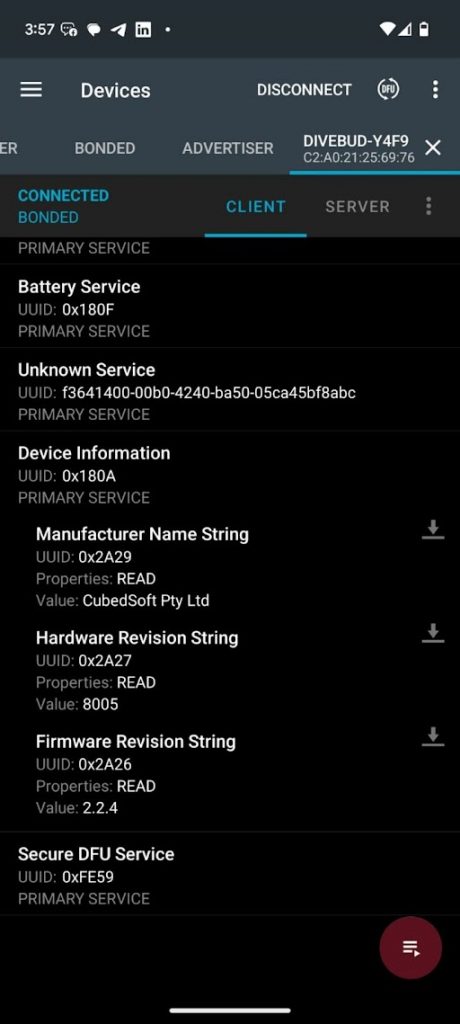
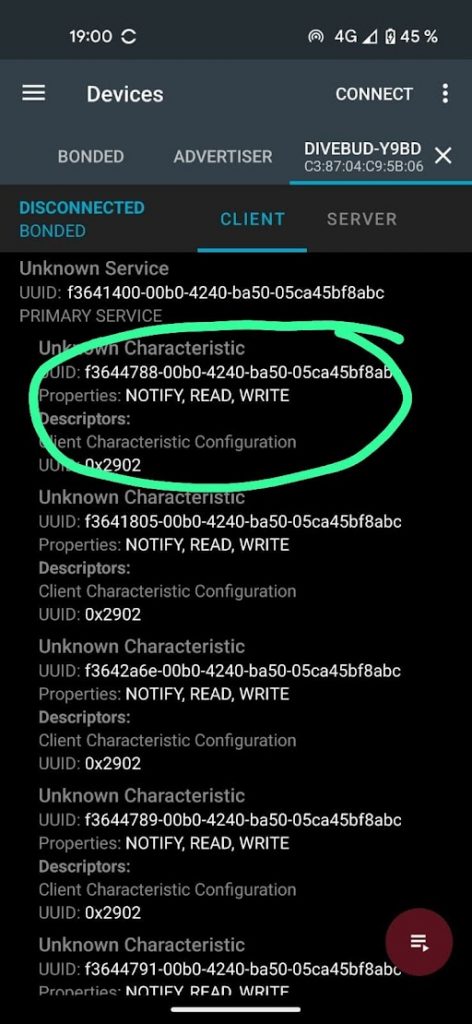
How to reset Divebud Here we describe how to reset your DiveBud.Download nrfConnect app. Android | iOS.Open nrfConnect and connect to your DiveBud.Open Service: <screenshot>.Open commands characteristics: <screenshot>.Send command:For factory reset: 0x45To delete old BLE bonds: 0x49To delete dives: 0x41 When connected you will see Unknown service with this UDID presented on the picture. You will need to open the service first by taping on it.If you can’t tap – that means device is disconnected. You need to connect again. Once service is open, you need to tap on characteristics that start with :f3644788-XXXX-… Last thing is to press on “Arrow UP” near this charcteristics. This indicates that you intended to send a command to the device.Press that button and enter “45”, then press submit.Wait for about ~30 seconds. Your device is reset. Connect to it again.